# Add Contact

You can effortlessly add a community member's contact address to an organisation on [Coinshift](https://coinshift.xyz/).

<figure><img src="https://4247754953-files.gitbook.io/~/files/v0/b/gitbook-x-prod.appspot.com/o/spaces%2FL2VHMP4lgaamA0WWdSTX%2Fuploads%2FRoiF639ZtIkgwOPO4NCI%2FAdd%20Contact%20GIF.gif?alt=media&#x26;token=df674d96-2466-4773-96ac-ada06b2150c8" alt=""><figcaption></figcaption></figure>

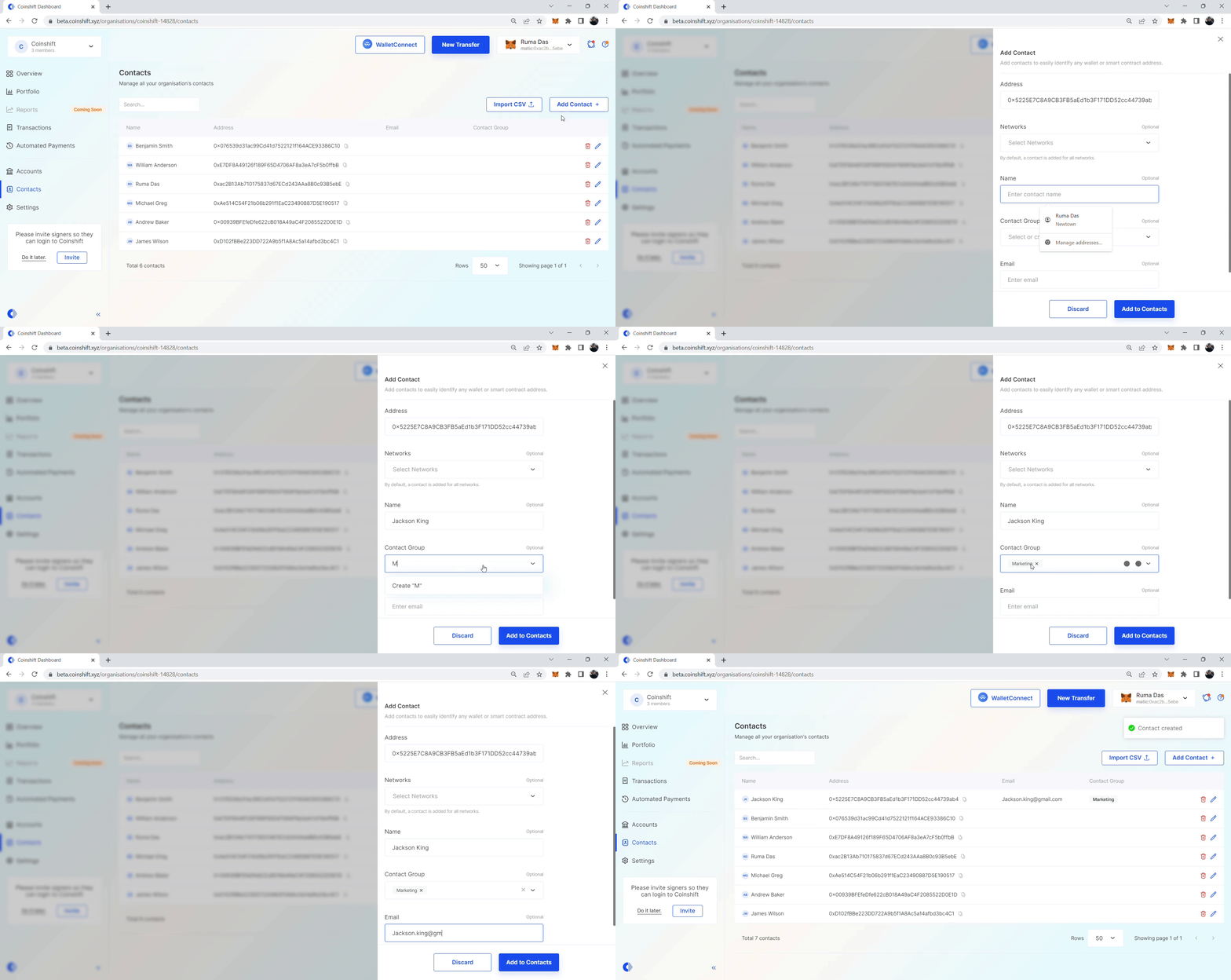
Follow these steps to add a contact to your organisation.

## **Step 1: Access** **the 'Add Contact' feature**

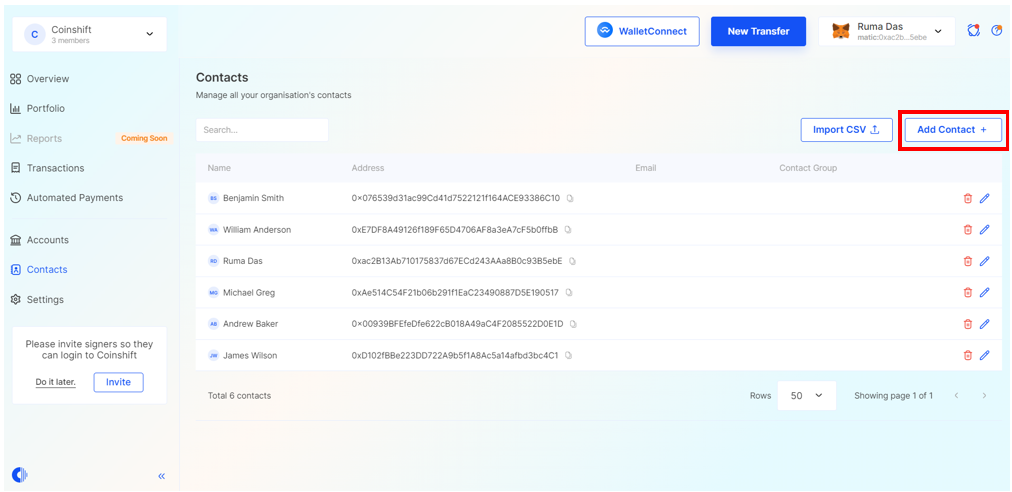
Navigate to the **Contacts** section and select the **Add Contact** option, as highlighted in the screenshot below.

<figure><img src="https://4247754953-files.gitbook.io/~/files/v0/b/gitbook-x-prod.appspot.com/o/spaces%2FL2VHMP4lgaamA0WWdSTX%2Fuploads%2FDCqAyZ6ajXIF2sYzekAH%2Fimage.png?alt=media&#x26;token=0f119378-a147-4e6a-bed2-d1a39c83e834" alt=""><figcaption></figcaption></figure>

## **Step 2:  Input contact information**

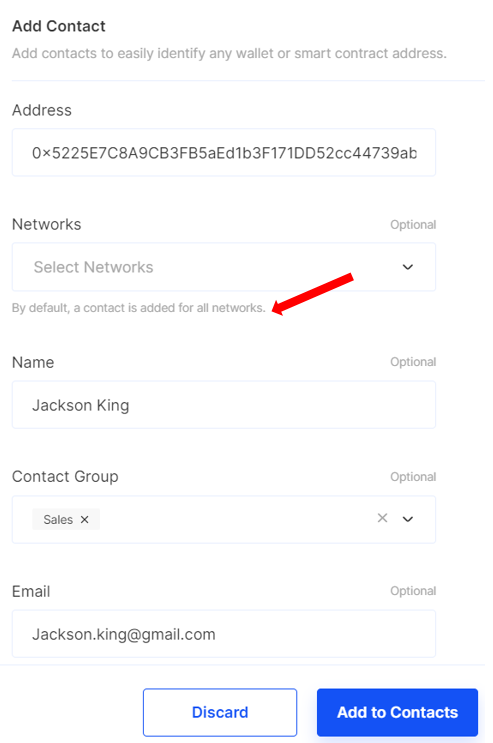
A window will appear, prompting you to input the following information:

* Address (ENS or wallet address)
* Networks (optional)
* Name (optional)
* Contact Group (optional)
* Email (optional)

<figure><img src="https://4247754953-files.gitbook.io/~/files/v0/b/gitbook-x-prod.appspot.com/o/spaces%2FL2VHMP4lgaamA0WWdSTX%2Fuploads%2FtcRoVbO8oguv8hCVCth6%2Fimage.png?alt=media&#x26;token=dfe98286-f1c6-4f29-86ff-47ba7eb693b0" alt="" width="370"><figcaption></figcaption></figure>

{% hint style="info" %} <mark style="color:blue;">Unless otherwise specified, contact information will be systematically integrated across all available networks by default.</mark>
{% endhint %}

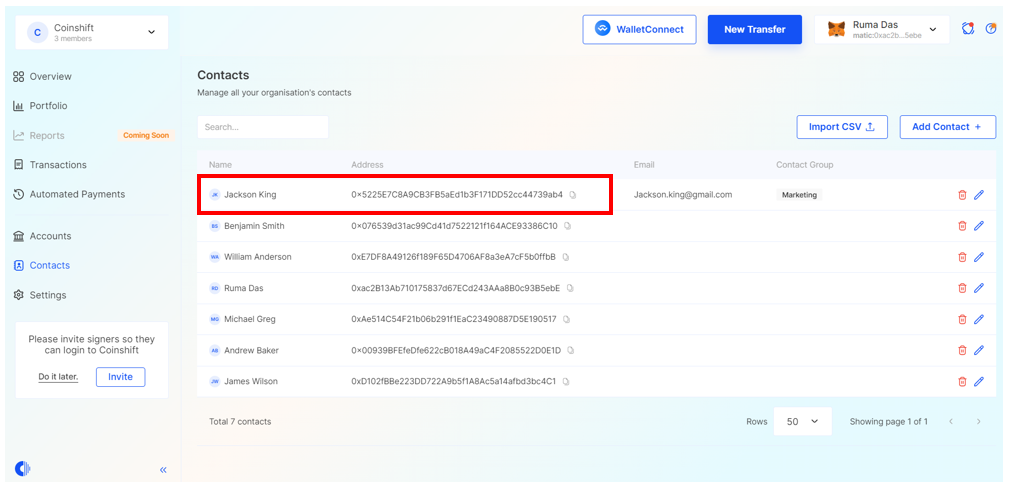
After entering the necessary details, click on the **Add to Contacts** button to finalise the process.

Upon completion, the new contact will be successfully added to your contact list, making it available for use across your organisation.
<figure><img src="https://4247754953-files.gitbook.io/~/files/v0/b/gitbook-x-prod.appspot.com/o/spaces%2FL2VHMP4lgaamA0WWdSTX%2Fuploads%2F0aqY4PvuUzeGlUDhaqGL%2Fimage.png?alt=media&#x26;token=57417e12-372b-41c8-a7c6-e696fb94ad77" alt=""><figcaption></figcaption></figure>

&#x20;